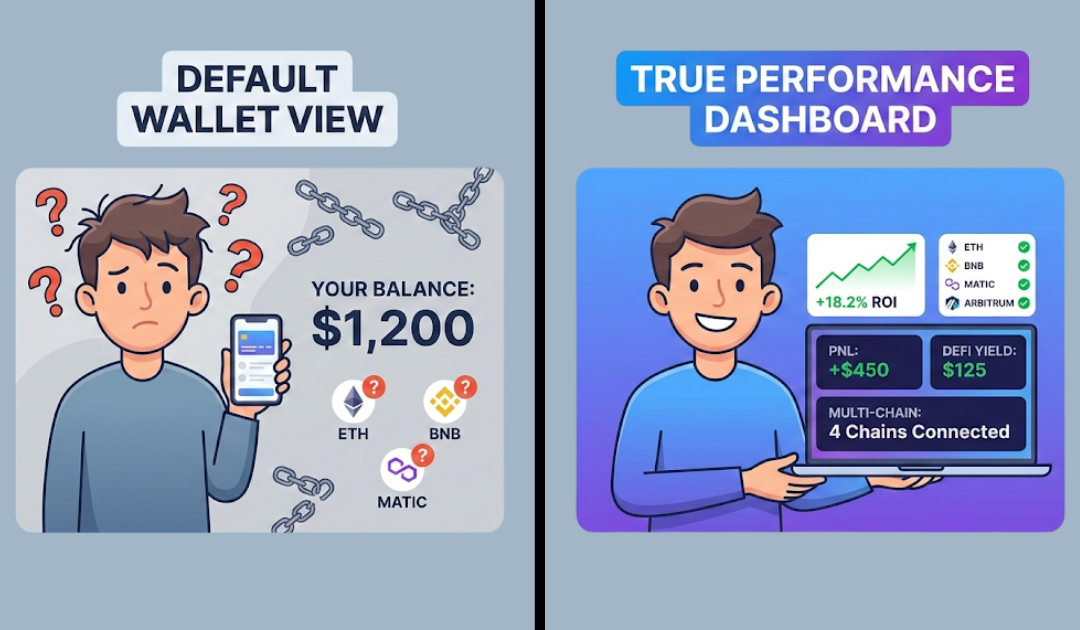
How to track MetaMask wallet performance is one of the most common questions serious crypto investors ask once their portfolio starts spreading across DeFi, NFTs, and multiple chains. The simple answer is you need a dedicated portfolio tracker like ChainGlance to accurately track your MetaMask wallet performance.
But why exactly do we need an external tracker?
MetaMask shows your token balances. But it doesn’t show true profit and loss, cost basis tracking, unrealized gains, realized profits, or overall portfolio returns crypto investors care about.
If you’re active on Ethereum, BNB Chain, Arbitrum, or other networks, your transactions quickly become messy. Swaps, staking rewards, yield farming, NFT mints. Everything adds up. Yet, MetaMask doesn’t offer built-in crypto portfolio analytics or advanced wallet performance metrics.
That’s inefficient. And risky.
In this guide, you’ll learn the best way to track MetaMask wallet performance, monitor MetaMask portfolio returns, calculate crypto gains accurately, and use the right MetaMask portfolio tracker tools for complete MetaMask performance tracking across chains.
How to Track MetaMask Wallet Performance
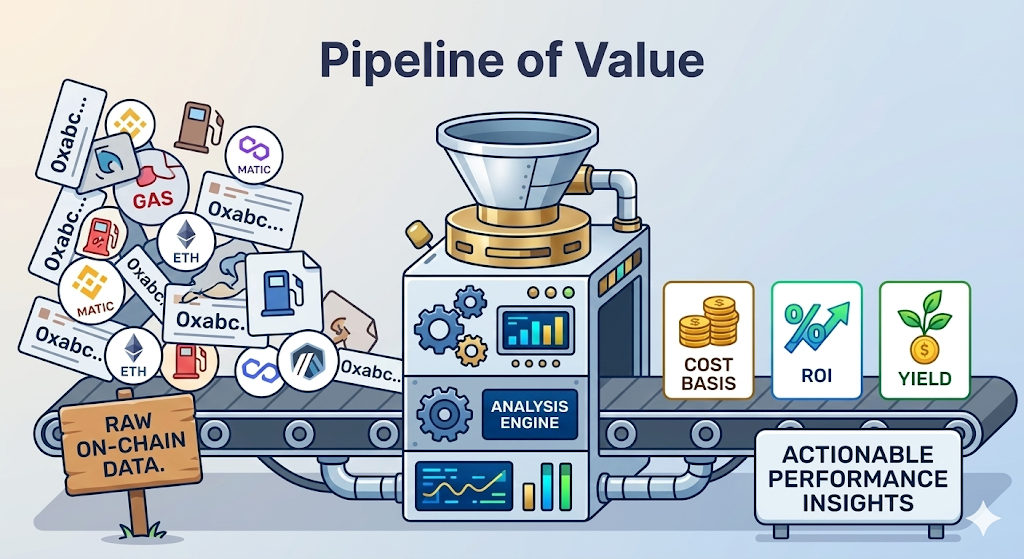
You need a dedicated portfolio tracker like ChainGlance to accurately track your MetaMask wallet performance. It connects to your wallet address, pulls on-chain data across networks, and turns raw transactions into clear crypto wallet performance insights, including PnL tracking crypto, unrealized gains crypto, realized profits crypto, and overall portfolio returns crypto.
MetaMask is great for storing and sending crypto, but that’s pretty much where it stops. It won’t tell you how much profit you’re up, what your DeFi positions are doing, or what you originally paid for a token (cost basis). For that kind of insight, you need an actual portfolio tracker built for the job.
Here’s how ChainGlance simplifies MetaMask performance tracking:
- Connect your wallet address (no private keys required).
- Get a MetaMask performance dashboard with wallet analytics across chains.
- See realized and unrealized gains instead of guessing profits.
- Track DeFi positions like staking, LP tokens, and farming rewards.
- Monitor your NFTs and digital assets alongside tokens.
- Access multi-chain wallet tracker functionality in one unified MetaMask portfolio dashboard.
Think of it like upgrading from a basic bank statement to a full investment dashboard, one that actually tells you what’s working and what isn’t.
And if taxes are on your mind, Chain Glance connects directly with Bitcoin.Tax, so your profit and loss data flows through automatically. No downloading CSV files, no manually entering transactions, no headaches. Just clean, organized data ready when tax season hits.
Can You Track Wallet Performance Directly Inside MetaMask?
No, you cannot fully track MetaMask wallet performance directly inside MetaMask. The MetaMask portfolio dashboard shows your assets and activity, but it does not provide complete MetaMask performance tracking, such as profit and loss, ROI crypto wallet metrics, or historical portfolio returns crypto investors need.
MetaMask’s built-in dashboard at portfolio.metamask.io is a decent starting point. You can see your token balances across different networks, check NFTs, view recent activity, and get a basic snapshot of where your assets sit. For a beginner just getting familiar with crypto, that’s fine.
But here’s the thing: it’s not a performance tracker. Not even close.
MetaMask won’t tell you what you originally paid for a token (cost basis), how much profit you’ve made or lost, or what your ROI looks like over the past few months. It shows you your balance, not your performance.
Think of it like checking your bank balance without ever seeing your income or spending history. You know what’s there, but you have no idea how you got there or whether you’re actually doing well.
MetaMask is built for wallet access, swaps, and connecting to DApps. That’s what it’s designed for, and it does that well. Portfolio analytics just isn’t its job.
What Are the Best Tools to Track MetaMask Wallet Performance Accurately?
The best way to track MetaMask wallet performance accurately is to use a specialized MetaMask portfolio tracker like Chain Glance. It offers full MetaMask performance tracking, including PnL tracking crypto, cost basis tracking, DeFi position tracking, NFT portfolio tracking, and multi-chain portfolio analytics, all in one MetaMask performance dashboard. Other tools can help, but they vary in depth, accuracy, privacy, and cost.
That being said, the following are the best tools to track MetaMask wallet performance.
1. ChainGlance (Recommended)
Built specifically for serious crypto portfolio monitoring. It works as a multi-chain wallet tracker and delivers complete wallet performance metrics, realized crypto profits, unrealized crypto gains, ROI crypto wallet insights, and clean MetaMask wallet analytics. It also integrates with Bitcoin.Tax for reporting.
- Pros: Accurate on-chain portfolio tracking, tax-ready, structured dashboard.
- Cons: May include premium features depending on usage.
2. Portfolio Trackers (CoinStats, DeBank, DappRadar, Zerion)
These tools act as crypto portfolio trackers for MetaMask. Another way of looking at it is they are Chain Glance alternatives. They’re user-friendly and good for quick overviews.
Check out our in-depth list of best DeFi portfolio trackers to learn more.
- Pros: Easy setup, decent wallet analytics tools, some DeFi portfolio tracker features.
- Cons: Limited cost basis tracking, inconsistent historical returns, some features behind paywalls.
3. Blockchain Explorers (Etherscan + multi-chain explorers)
Useful for raw blockchain wallet tracking.
- Pros: Free, transparent, direct wallet address tracking.
- Cons: No MetaMask profit and loss calculations. No ROI crypto tracking. Manual analysis required.
4. Spreadsheet + CSV Method
You export transactions and calculate crypto gains manually.
- Pros: Full control, maximum privacy.
- Cons: Time-consuming, error-prone, not scalable.
How Do You Track MetaMask Wallet Performance Step-by-Step?
You simply connect your wallet to ChainGlance, let it sync your on-chain data, and review your complete MetaMask performance dashboard with profit, loss, ROI, and portfolio analytics clearly calculated.
Step 1: Connect Your Wallet to Chain Glance
Go to ChainGlance and connect your MetaMask wallet. You don’t share private keys. You either connect directly through MetaMask or paste your public wallet address for secure blockchain wallet tracking. Within seconds, it begins pulling transaction history across supported chains.
Step 2: Let the Dashboard Sync Your Data
Once you connect your wallet, ChainGlance gets to work scanning everything: swaps, transfers, staking rewards, liquidity pool tokens, NFT purchases, you name it. All those raw blockchain transactions that would otherwise mean nothing to you get organized into actual, readable performance data.
So instead of scrolling through hundreds of cryptic transaction entries, you get a clean breakdown of how your wallet is actually performing. No guesswork, no manual sorting, just your data, made sense of.
Step 3: Review Profit and Loss Metrics
Now you can properly analyze MetaMask wallet performance. The dashboard shows realized profits in crypto, unrealized gains in crypto, cost basis tracking, and ROI crypto wallet data. You can filter by chain, asset, or time period to monitor MetaMask portfolio returns accurately.
Step 4: Dive Into DeFi and NFT Analytics
Open individual asset views to see deeper crypto portfolio analytics. Track farming rewards, staking yields, and NFT portfolio tracking performance separately.
Step 5: Export or Sync for Reporting
If needed, export reports or sync directly for tax-ready MetaMask profit and loss documentation.
What Metrics Should You Monitor to Evaluate Wallet Performance?
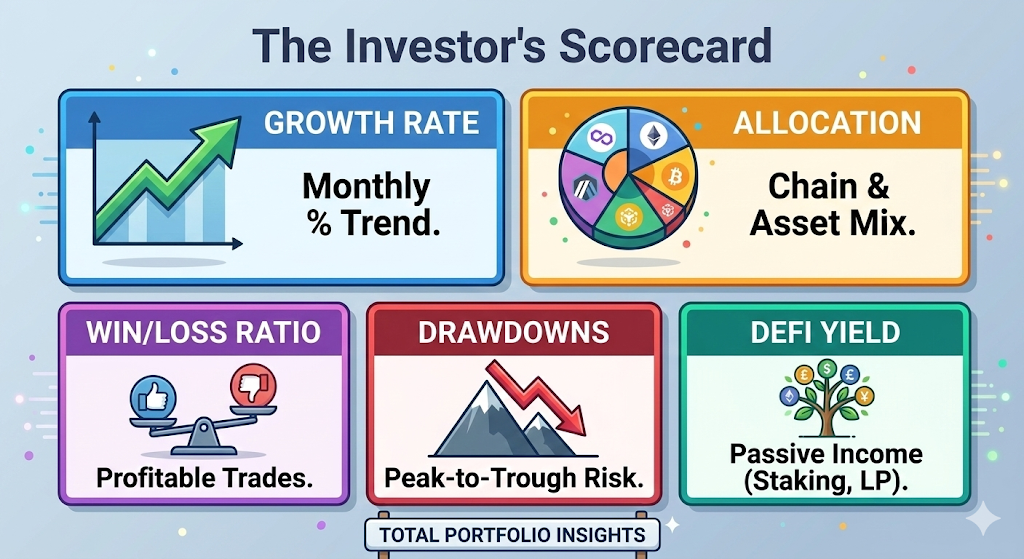
You need to monitor more than just balances. Focus on portfolio growth rate, asset allocation, win/loss ratio, drawdowns, volatility, and DeFi yield. These wallet performance metrics give you real crypto portfolio analytics, not just surface-level numbers.
Here’s what actually matters.
1. Portfolio Growth Rate
This shows how fast your crypto wallet performance is increasing over time. Weekly and monthly portfolio returns in crypto help you understand trend direction. A good MetaMask performance dashboard tracks this automatically.
2. Asset Allocation & Diversification
How concentrated is your portfolio? If 70% sits in one token, your risk is high. Strong wallet analytics tools show allocation breakdown by asset and chain. This improves crypto portfolio monitoring and risk control.
3. Win/Loss Ratio
Out of all closed trades, how many were profitable? This metric helps you analyze MetaMask wallet performance behaviorally. High ROI crypto wallet numbers mean little if most trades lose money.
4. Drawdowns & Volatility
Drawdown measures how much your portfolio drops from peak to trough. Volatility tracks how unstable returns are. These are critical wallet performance metrics that basic MetaMask wallet tracker views don’t show.
5. DeFi Yield & Passive Income
Track staking rewards, LP yields, and lending returns separately. This shows true yield contribution to overall MetaMask profit and loss.
Is It Safe to Use Third-Party Portfolio Trackers with MetaMask?
Yes, it is generally safe to use a MetaMask portfolio tracker, as long as you use read-only wallet tracking and never share your private keys or seed phrase. Most legitimate tools, like like ChainGlance, rely on public wallet address tracking, which means they only read on-chain data and cannot move your funds.
Here’s what that means in practice.
When you track MetaMask wallet performance using analytics tools, you typically either:
- Paste your public wallet address, or
- Connect via a read-only API session.
In both cases, the tool performs blockchain wallet tracking using publicly available data. Every transaction on Ethereum, Polygon, or BNB Chain is already visible through blockchain explorer tracking. Portfolio tools simply organize that data into structured crypto portfolio analytics.
The real risk appears when:
- A tool asks for your seed phrase.
- You sign suspicious smart contract approvals.
- You grant unlimited token permissions without checking.
A proper wallet performance tracker should never request private credentials.
From a privacy perspective, remember that public wallet data is transparent by design. Anyone can analyze MetaMask wallet analytics if they know your address. Using third-party MetaMask portfolio tools doesn’t create new exposure. It simply interprets existing on-chain portfolio tracking data.
To protect yourself:
- Use reputable tools with a clear track record.
- Revoke unused token approvals regularly.
- Separate long-term holdings into cold storage.
- Use a secondary wallet for DeFi experiments.
How Does MetaMask Portfolio Dashboard Compare to ChainGlance?
MetaMask Portfolio Dashboard is built for visibility, while ChainGlance is built for true performance tracking.
If you only want to check balances and basic activity, MetaMask works. There’s no advanced wallet performance tracker logic behind it. Think of it as a snapshot of what you hold, not how well you’re performing.
But ChainGlance functions as a full MetaMask portfolio tracker and wallet returns tracker. It analyzes on-chain portfolio tracking data to generate structured MetaMask wallet analytics. You get ROI crypto wallet calculations, gas-adjusted profit and loss, DeFi position tracking, NFT portfolio tracking and multi-chain portfolio analytics in one MetaMask performance dashboard.
Frequently Asked Questions
How do you track the historical performance of a MetaMask wallet over multiple years?
You need a wallet performance tracker that stores and organizes your full transaction history across cycles. Most MetaMask portfolio tools reconstruct past balances, calculate historical portfolio returns in crypto, and show time-based performance charts. This helps you compare bull vs. bear market performance and measure true crypto wallet ROI tracker results over years, not just current balances.
Can you track multiple MetaMask wallets in one dashboard?
Yes. Many advanced MetaMask wallet analytics tools, like ChainGlance, allow you to add multiple wallet addresses into a single MetaMask performance dashboard. This is useful if you separate trading, long-term holding, and DeFi strategies into different wallets. Read our in-depth guide on how to track multiple DeFi wallets to learn more.
How do airdrops and token rebases affect wallet performance tracking?
Airdrops, staking rewards, and rebasing tokens can distort crypto wallet performance if not tracked correctly. These events change your balance without a traditional “buy” transaction. Proper cost basis tracking and PnL tracking crypto tools classify these correctly, either as zero-cost acquisitions or yield income, so your MetaMask profit and loss and portfolio returns crypto remain accurate.