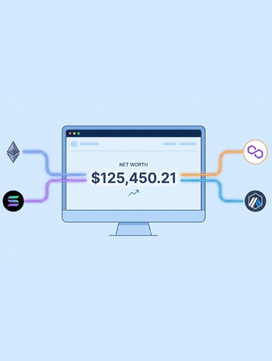
To track multiple DeFi wallets, you can either use an automated DeFi portfolio tracker like Chain Glance, DeBank, Zapper, or Rabby or do it manually using spreadsheets and public wallet addresses. Automated trackers are better for active DeFi users. They sync real-time data across chains. They also surface staked assets, LP positions, and yields from protocols on Ethereum, Layer 2s, and non-EVM chains like Solana. All in one dashboard.
If you use DeFi seriously, you probably don’t have just one wallet. Maybe you’ve got ETH on Mainnet. USDC lent on Aave. An LP position on Uniswap. And some SOL staked on Solana.
Your crypto portfolio is everywhere. And that’s a problem.
Traditional banks show your balance in one place. But in DeFi? Your assets are spread across multiple wallets, chains, and protocols. This makes DeFi wallet tracking harder than it should be.
- Balances live across Layer 1s, Layer 2s, and sidechains.
- Staked and locked tokens stay invisible. Basic wallet interfaces simply can’t see what’s happening inside smart contracts.
- Prices move 24/7. Gas fees fluctuate. Yields compound. The spreadsheet you updated this morning is already outdated.
Without a way to track multiple DeFi wallets in one place, you lose clarity.
You can’t monitor your net worth accurately. You miss yield opportunities because you forget which protocols you’re active in. Tax season becomes a nightmare of hunting down transactions across a dozen addresses. And security risks pile up; how many dApp allowances have you granted and forgotten about?
That’s why learning how to track multiple DeFi wallets matters.
A single dashboard lets you monitor balances, yields, and transactions across chains. It removes fragmentation. It replaces guesswork with real data. And it makes managing DeFi portfolios practical, not painful.
This is where proper DeFi wallet tracking and a reliable DeFi portfolio tracker actually help.
What is a DeFi portfolio tracker?
A DeFi portfolio tracker is a tool that shows your wallet balances, transactions, and positions across multiple blockchains in a single dashboard. Instead of checking each wallet and dApps separately, you see everything in one place.
What does a DeFi portfolio tracker show?
- Token balances across wallets
- Staked and locked assets
- Lending and borrowing positions
- Liquidity pool holdings and rewards
- Full DeFi transaction tracking history
This goes beyond basic wallet apps. A MetaMask balance view won’t show LP tokens or yield earned inside smart contracts. A proper DeFi portfolio tracking tool surfaces those hidden positions automatically.
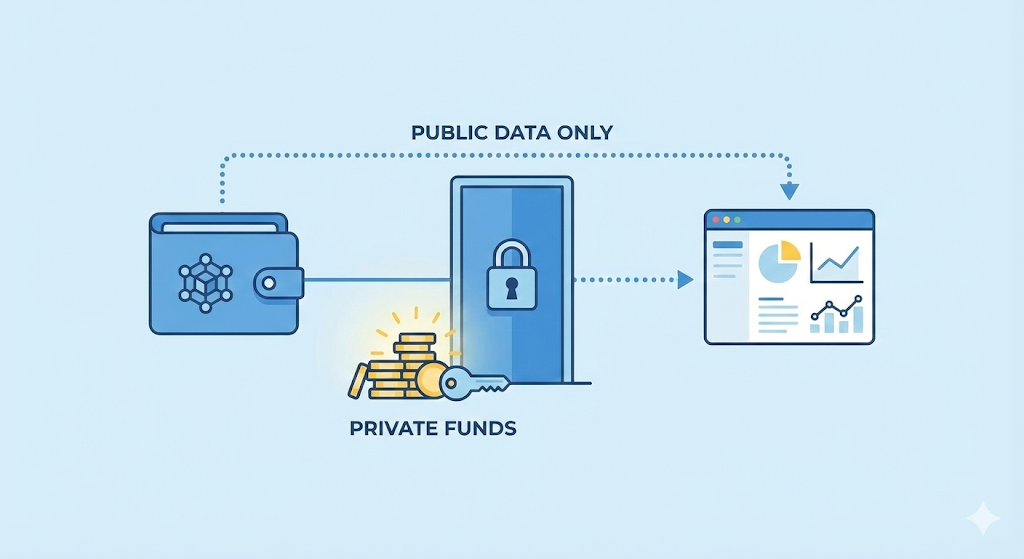
A good tracker scans public wallet addresses in read-only mode. Your funds stay in your control. The tool only reads on-chain data. However, some DeFi wallet trackers go one step further. They require you to create an account and connect your wallets directly.
This is a trade-off.
You give up some privacy but get advanced features like social tracking, portfolio sharing, and deep analytics. For some people, that exchange may be worth it.
Why do DeFi investors need a DeFi portfolio tracker?
Simple. Manual tracking doesn’t scale. When you’re managing multiple wallets across several chains, you need automation. A good tracker updates in real-time, calculates your net worth automatically, and tracks your profit and loss over time. This matters for active traders, yield farmers, and anyone juggling more than two wallets.
How is it different from a CEX tracker?
Centralized exchange trackers only monitor assets on platforms like Binance or Coinbase. DeFi wallet tracking monitors on-chain activity (tokens in your custody, not on an exchange). You maintain control of your private keys while the tracker reads public blockchain data.
Key features to look for:
- Multi-chain support (Ethereum, L2s, Solana, etc.)
- Real-time balance tracking
- Transaction history across all wallets
- Tax reporting and CSV exports
- NFT tracking
- DeFi protocol integration (staking, lending, LPs)
Can you Track Multiple DeFi Wallets with One Tracker?
Yes, you can track multiple DeFi wallets with one tracker.
Most trackers let you add several public wallet addresses at once. Each address stays separate on-chain, but the tracker displays them together. This lets you track multiple crypto wallets in one place without moving funds or linking wallets.
The magic happens through blockchain indexing. These tools run nodes or connect to node providers that constantly scan blockchain data. When you add an address, the tracker queries multiple chains simultaneously. It pulls balances from Ethereum. Checks your Polygon positions. Scans Arbitrum. Looks at Solana. All in seconds.
A good DeFi wallet tracker for multiple addresses also supports cross-chain views. That means you can track wallets on Ethereum, Layer 2s, and other ecosystems side by side. This matters if you want to monitor multiple DeFi wallets without switching networks.
Most tools offer two viewing modes:
- Combined view: See total net worth across all wallets and chains.
- Wallet-level view: Drill down into a single address to inspect activity.
This setup works well for users who separate wallets by purpose. One wallet for trading. One for yield. One for long-term holds. You still get one portfolio view.
This is why serious DeFi users prefer automated tools over spreadsheets.
So yes, you can monitor multiple DeFi wallets with one tracker. But the real question is, should you use a manual method or an automated tool?
Let’s break down both approaches.
Best Ways to Track Multiple DeFi Wallets
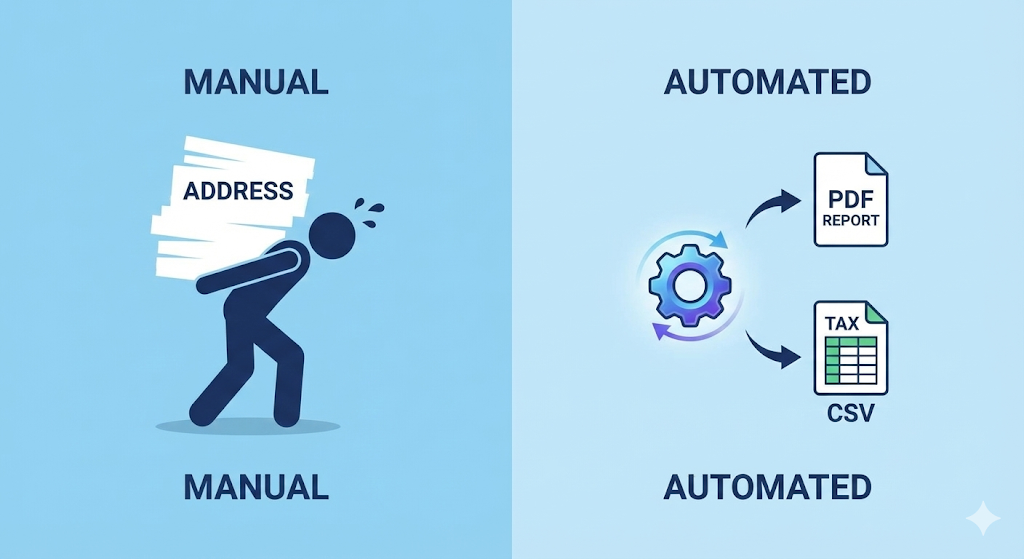
There are two main ways to track multiple DeFi wallets: manual tracking or using an automated DeFi portfolio tracker. Manual methods give you full control but break down fast as activity grows. Automated tools sync balances, yields, and transactions across chains in real time, with far less effort. Each approach has trade-offs depending on how active you are in DeFi.
Let’s take a closer look.
Method 1: How to track multiple DeFi wallets manually
The manual method works best for long-term HODLers with low transaction volume. If you make a few trades per month and want total control over your data, this approach makes sense. You track everything yourself using public wallet addresses and a spreadsheet.
Step 1: List your public wallet addresses
Create a clean list of every address you own. This includes EVM wallets, Solana wallets, and cold storage addresses.
Important: Never store private keys or seed phrases in a spreadsheet, public or private. Ever.
Step 2: Set Up Your Spreadsheet
Open Google Sheets. Create columns for:
- Asset Name (ETH, USDC, MATIC, etc.)
- Wallet/Location (which wallet or protocol)
- Quantity (how much you hold)
- Current Price (live price feed)
- Total Value (quantity × price)
Step 3: Pull Live Prices
Don’t type prices manually. Use the =GOOGLEFINANCE function for major coins like BTC and ETH. For DeFi altcoins, use CoinGecko or CoinMarketCap APIs, or spreadsheet add-ons, to fetch prices automatically. This helps you track DeFi investments automatically, at least on the pricing side.
Step 4: Update DeFi positions manually
This is the hard part. You must check dApps like Aave, Lido, or Uniswap to see staked balances, LP positions, and rewards. Do this weekly at minimum. Daily if you’re actively farming.
Manual tracking gives you full control. But it comes with real trade-offs.
What you get:
- Full ownership of your data
- No third-party tools
- Works for simple, long-term portfolios
- Zero ongoing cost
What it costs you:
- Time and constant upkeep
- No real-time accuracy
- Complex DeFi positions (like multi-layered yield strategies) are nearly impossible to track accurately
- One spreadsheet mistake away from bad tax calculations
Manual tracking can work but it’s not scalable. Read this guide to see why spreadsheets break down for crypto portfolio tracking.
Method 2: How to track multiple DeFi wallets using one tool
Automated trackers are built for active DeFi users who move funds often and use many protocols. They provide a complete portfolio overview without the manual labor. For this explanation, we’ll use Chain Glance as an example. But these steps apply to most major DeFi portfolio trackers like DeBank, Zapper, and Rabby.
Step 1: Connect via Public Address (Read-Only)
Enter your public wallet addresses into the Chain Glance dashboard (or whatever tool you’re using). You’re not connecting your wallet in the traditional sense. No MetaMask pop-up, no transaction signing. Your funds never leave your wallets. This is standard on-chain wallet tracking.
Step 2: Auto-sync assets across chains
The tool scans across Ethereum, Solana, Avalanche, and Layer 2s like Base and Optimism simultaneously. You don’t need to switch networks manually. The platform aggregates your net worth into a single “Master Balance.”
This is what makes it possible to track multiple wallets across blockchains efficiently.
Step 3: Detect DeFi positions automatically
A proper tracker, like Chain Glance, goes beyond token balances. It reads smart contracts and surfaces:
Staked assets
Lending and borrowing positions
LP tokens and unclaimed rewards
Most wallets only show liquid tokens sitting in your address. This solves that problem. You can finally track DeFi yields and balances without opening each dApp.
Step 4: Monitor performance and activity
You get transaction history, portfolio changes, and P&L over time. Chain Glance calculates your cost basis, helping you understand if you’re actually profitable after gas fees and impermanent loss. This makes DeFi transaction tracking and portfolio review much easier.
Now the trade-offs.
What you get:
- Real-time data
- One dashboard to monitor multiple DeFi wallets
- Automatic yield and position tracking
- Clean exports for taxes and analysis
What it costs you:
- Reliance on a third-party interface
- Limited visibility if a protocol isn’t supported
- Advanced features may require a paid plan
For most users, this trade is worth it. If you want to track multiple crypto wallets in one place without manual work, automated tracking wins.
What are the Best Tools for DeFi Portfolio Tracking?
Here are some of the best DeFi portfolio trackers that make it easier to track DeFi wallets and manage multiple addresses. Each suits a different type of user.
1. Chain Glance: A fast, privacy-first DeFi portfolio tracker built for clarity. Read-only access, no accounts, and strong tax support. Best for users who want to track multiple crypto wallets in one place without noise.
2. DeBank: A deep analytics tool with wide protocol coverage and wallet bundling. Best for advanced users who need detailed DeFi wallet analytics across many positions.
3. Zapper: Combines tracking with execution. Clean UI, strong LP views, and discovery features. Best for yield farmers who actively move capital and want simple DeFi portfolio management.
4. Zerion: A tracker and wallet in one, with an excellent mobile experience. Best for mobile-first users managing assets across EVM chains and Solana.
5. Nansen Portfolio: Institutional-grade tracking with smart money insights and 100+ chain support. Best for professional traders and large portfolios that need full on-chain wallet tracking depth.
Each tool has trade-offs. Coverage, privacy, analytics depth, and pricing all vary.
If you want detailed breakdowns, comparisons, and use-case guidance, read the full guide on the best DeFi portfolio trackers. It goes deeper into features, costs, and which tool fits which type of DeFi user.
Is it Safe to Use DeFi Portfolio Trackers?
Yes, DeFi portfolio trackers are generally safe if you understand how they work.
Read-only trackers are inherently safe. When you paste a public wallet address into tools like Chain Glance or Llamafolio, you’re sharing information that’s already public. Anyone can look up any wallet address on a blockchain explorer. The tracker just makes that data easier to read.
Your funds stay in your custody. The tracker can’t move tokens, sign transactions, or access your private keys. It only reads what’s already visible on-chain.
Wallet connection is different. Some trackers ask you to connect via MetaMask or WalletConnect. This is still relatively safe if you’re only granting “view” permissions. But always check what you’re signing. Never approve unlimited token spending or contract interactions through a portfolio tracker.
Here’s what trackers can see:
- Your token balances
- Transaction history
- DeFi positions (staking, lending, LPs)
- NFT holdings
Here’s what they cannot see or do:
- Your private keys or seed phrase
- Funds in other wallets you haven’t added
- Move your assets
Best practices for safe tracking:
- Use trackers that don’t require account creation.
- Check permissions regularly. Use tools like Revoke.cash to audit and cancel any suspicious approvals you’ve granted.
- Avoid sharing portfolio screenshots publicly. Once someone has your address, they can see your entire history.
- Stick with established names like Chain Glance and avoid new random trackers.
How to Track Multiple DeFi Wallets for Taxes?
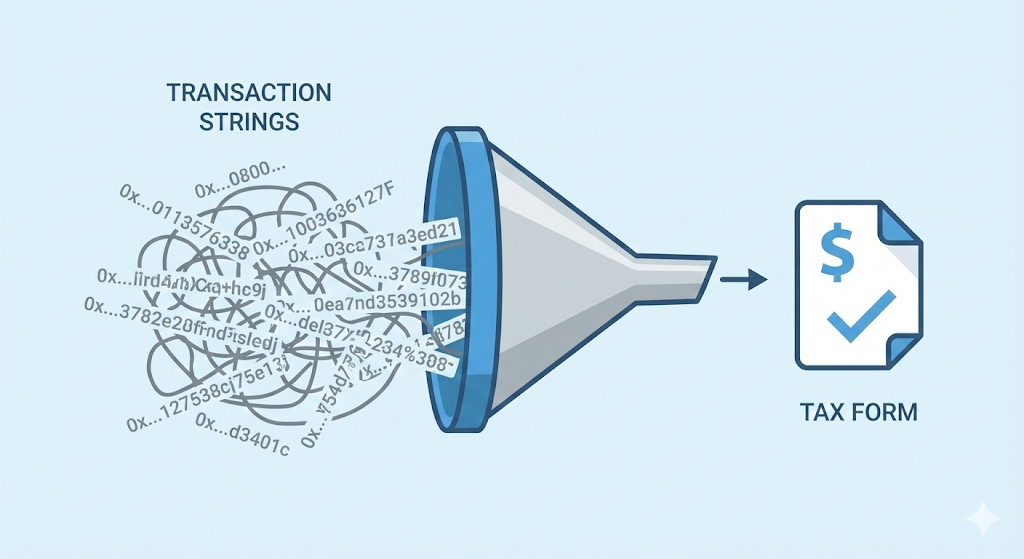
DeFi taxes are a nightmare. Every swap, every yield claim, every LP entry creates a taxable event. When you track multiple DeFi wallets across different chains, that complexity multiplies fast.
Here’s how to handle it:
Step 1: Add all wallet addresses you’ve used during the year. This includes hot wallets, hardware wallets, and any burner addresses. The tracker aggregates them so you can track multiple DeFi wallets as one portfolio.
Step 2: Export transaction history. Most tools let you download CSV files with timestamps, token amounts, and transaction types. This covers swaps, transfers, rewards, and gas fees.
Important: Chain Glance offers native Bitcoin.Tax integration, a crypto tax software, which pushes your data directly into tax forms. This eliminates the manual CSV upload step entirely.
Step 3: Set a monthly reminder to export transactions. Review your tax software dashboard quarterly. This spreads the workload and catches errors early. This way, you avoid the panic of hunting down forgotten wallets and obscure protocols.
What you still need to watch out for:
- Cross-chain bridges may show as transfers, not trades
- LP positions often split into multiple taxable events
- Staking rewards may count as income, depending on jurisdiction
If you want to track DeFi investments automatically and stay tax-ready, using a portfolio tracker from day one saves time, stress, and mistakes later.
FAQ
Are DeFi portfolio trackers free to use?
Many trackers offer free tiers but hide some features behind a paid plan. Chain Glance, for example, has a free plan for basic tracking, plus $9 and $29 monthly plans that unlock advanced features like tax integration, deeper analytics, and priority support. Choose based on your needs. Free tools work fine for casual tracking.
Can I track DeFi wallets without connecting my wallet?
Yes. Most trackers work with just your public wallet address. You paste the address, and the tracker reads on-chain data. No wallet connection or private key needed.
Do DeFi portfolio trackers work with hardware wallets like Ledger?
Yes. Your hardware wallet has a public address just like any other wallet. Add that address to your tracker to monitor it. Your Ledger stays secure and offline.
Can portfolio trackers see my private keys?
No. Trackers only see public blockchain data. They cannot access your private keys or seed phrase or move your funds.